
Redlining
Negotiate smarter and faster with Kollengo’s real-time, intelligent redlining tools. By transforming contracts from static text into structured data, Kollengo eliminates the traditional email back-and-forth, allowing for granular control, precise approvals, and powerful insights while maintaining a familiar document experience.
The Redlining Workspace
The Redlining Workspace offers a familiar, real-time document-centric experience while leveraging the power of structured clauses. All participants see updates instantly, ensuring everyone stays on the same page.
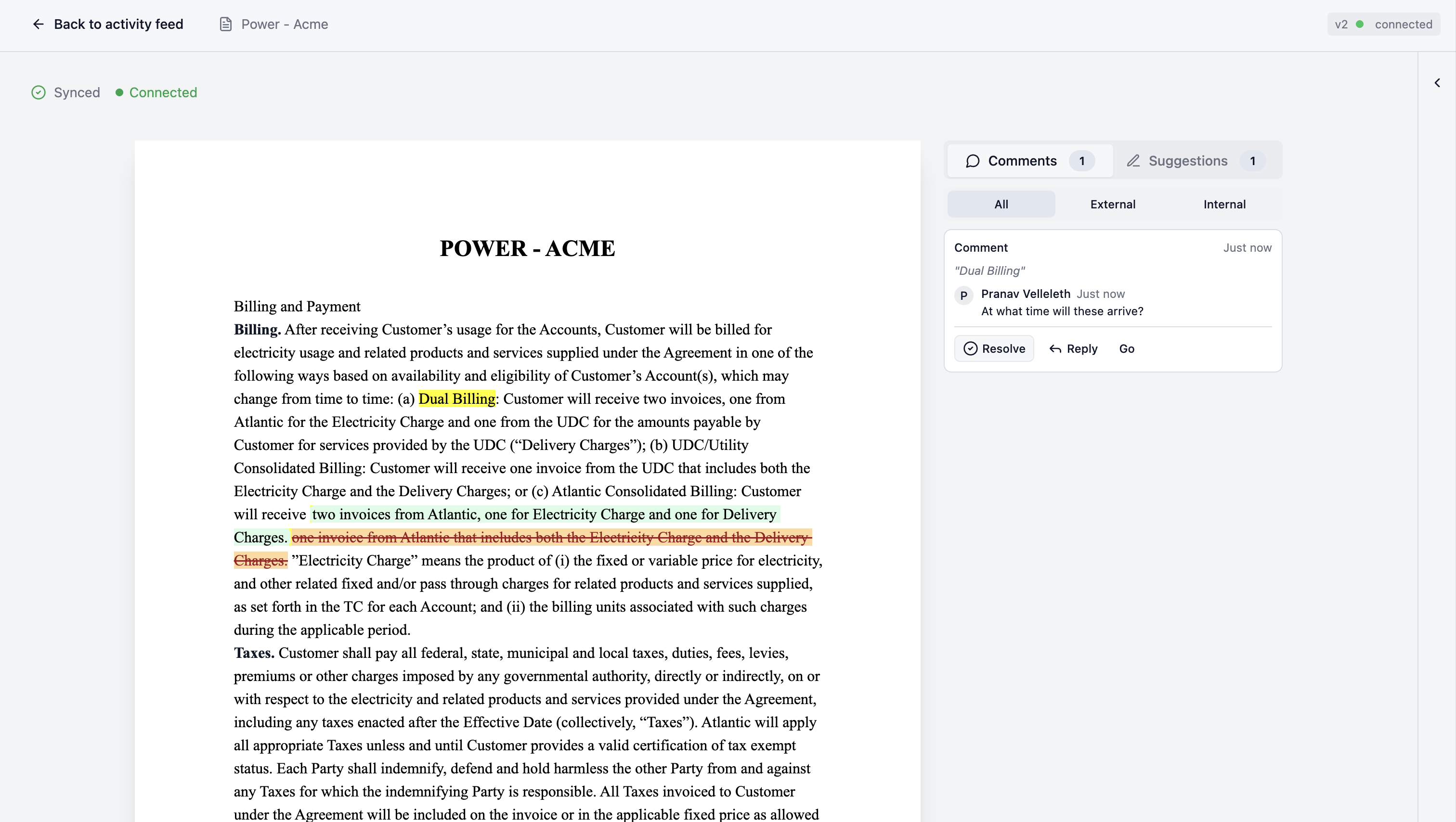
This approach ensures that your legal team can work in a comfortable environment without sacrificing the data integrity needed for modern contract management.
Collaboration & Communication
Streamline negotiations by keeping all communication in context.
Threads & Mentions
Discuss specific clauses directly within the document. You can tag internal team members or external collaborators using @mentions to bring them into the conversation immediately.
Internal Comments
Need to discuss strategy privately? You can leave Internal Comments that are only visible to your organization. Toggle the “Internal note” lock icon to ensure the counterparty/customer never sees sensitive internal deliberations.

Audit Trail
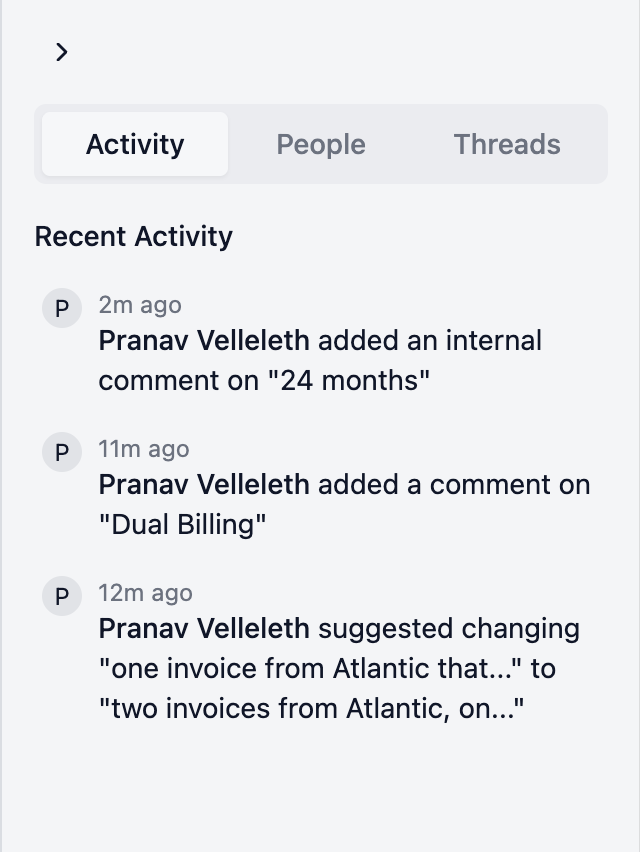
Kollengo provides a complete Audit Trail of every action taken during the negotiation. From the moment a suggestion is made to when it is approved or rejected, every step is logged. This ensures total accountability and eliminates the “he-said-she-said” of email negotiations.
Suggestion Mode & Approvals
Say goodbye to “version hell” and endless email attachments. Kollengo tracks changes as granular suggestions in a single, live document rather than creating entirely new document versions for every edit. This real-time approach allows parties to reach consensus significantly faster by removing the friction of manual reconciliation.
Structured Suggestions
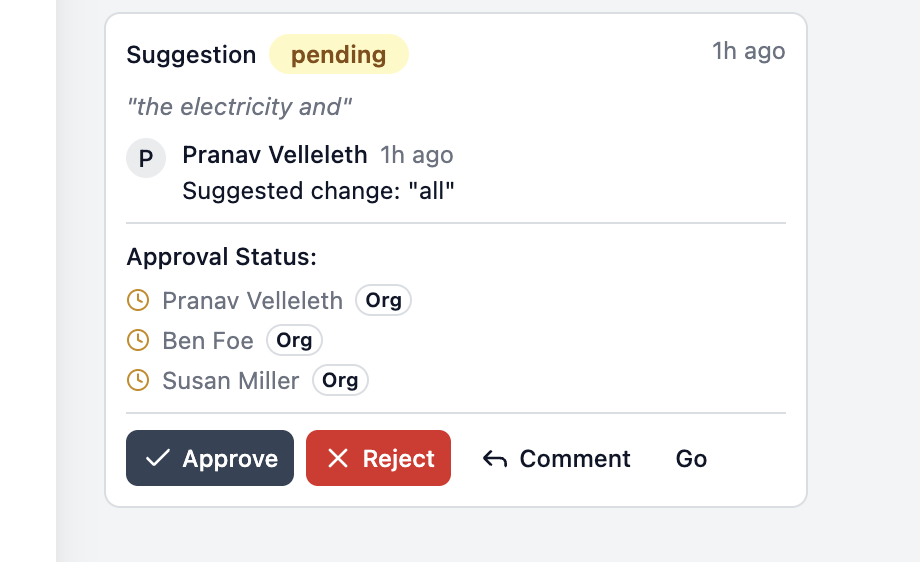
Changes are captured as insertions and deletions, allowing approvers to clearly see what is being modified.
Approval Workflows
Kollengo offers flexible approval configurations to match your organization’s compliance needs, with built-in safeguards to ensure no unauthorized changes slip through.
- Mandatory Consensus: For a suggestion to be implemented, all designated approvers must approve it. If even one approver rejects the suggestion or requests further changes, the suggestion cannot be applied to the document.
- Transparent Status: The Redlining Workspace clearly displays the approval status of every suggestion. You can see exactly who has approved and who is pending, eliminating the need to chase people down via email to find out who is holding up the process.
- Staged Reviews: When configured, you can manually notify clause-level approvers when you are ready for their review. This allows you to iterate faster on early drafts without spamming subject matter experts with every minor change.
Approver Roles
- Global Approvers: Users with the
clause.approver.globalpermission can approve changes across the entire contract. - Clause-Level Approvers: For sensitive or high-risk clauses, you can designate specific subject matter experts (e.g., “Data Privacy Officer” for data handling clauses) who must sign off on any changes.
Notifications
Approvers receive comprehensive email notifications whenever a suggestion requires their attention, ensuring that bottlenecks are avoided and deals keep moving.
Reporting & Insights
Because Kollengo generates structured data from your redlines, you gain insights that are impossible with traditional Word documents.
- Bottleneck Analysis: Identify which clauses or approvers are slowing down your deal cycles.
- Term Optimization: Discover which clauses are frequently redlined. If a standard term is rejected 80% of the time, use this data to craft more customer-friendly language and accelerate future deals.
External Collaboration
Collaborating with customers is seamless. You can generate secure links to invite external guests directly into the workspace.
- No Friction: External guests can access the document via a secure token without needing a full Kollengo account.
- Controlled Access: You control exactly what they can see and do, and you can revoke access at any time.
Real-time Redlining for Uploaded Contracts
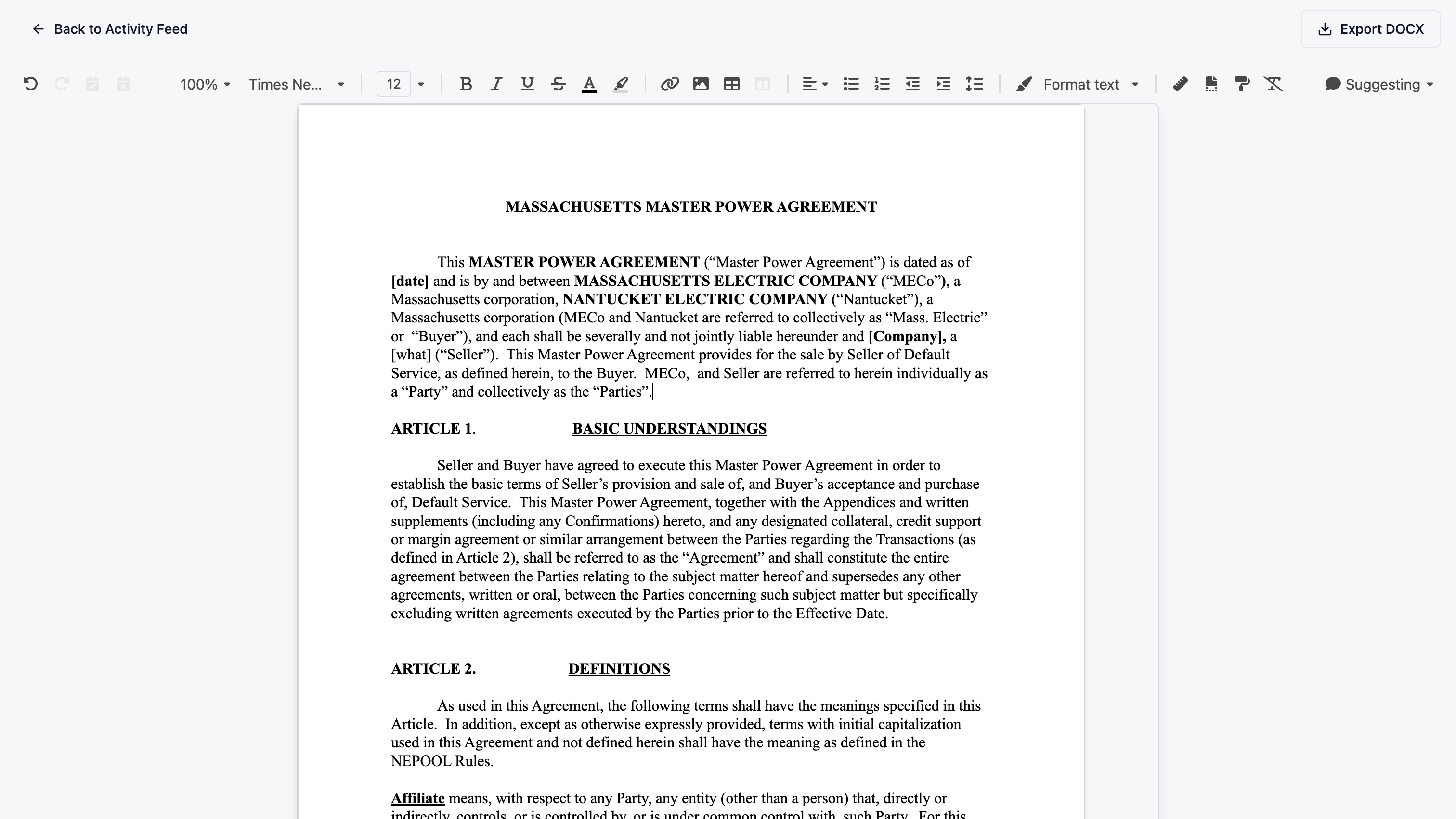
When a customer or counterparty sends you a legacy Word document, you don’t have to leave Kollengo. The DOCX Workspace allows you to upload existing .docx files from the Repository page and begin redlining them instantly in real-time.
- Familiar Editing: Work in a powerful, collaborative editor that preserves the look and feel of a Word document.
- Instant Collaboration: Multiple team members can suggest changes, leave comments, and edit the document simultaneously.
- Structured Flexibility: Even for uploaded documents, you maintain the same collaborative benefits of Kollengo’s native redlining experience.
DocuSign Integration
Kollengo integrates seamlessly with DocuSign to enable legally binding e-signatures directly from your contract workspace. This eliminates the need to download, upload, and manually manage envelopes in a separate tool.
Setup
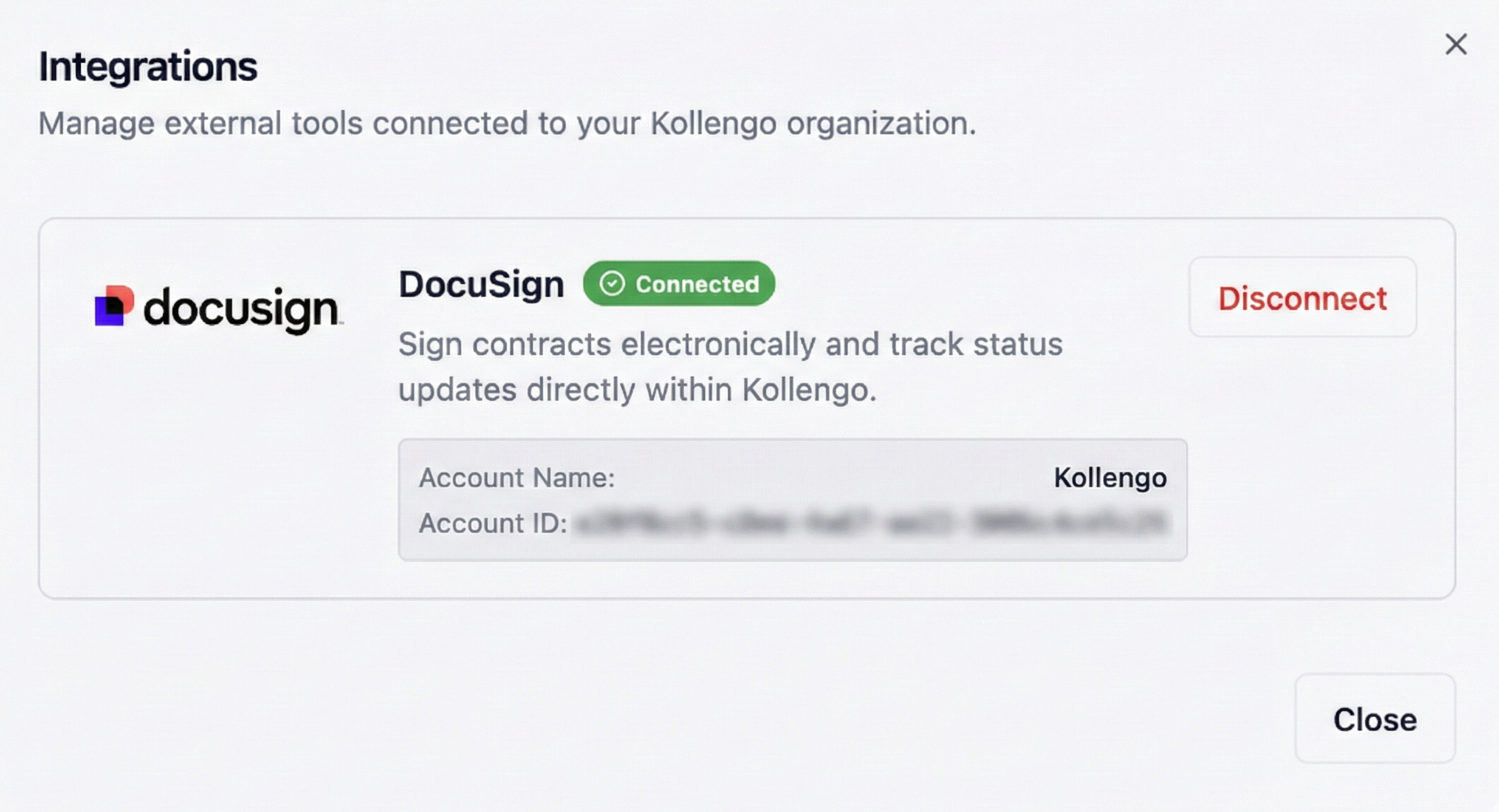
To get started, an administrator must enable the DocuSign integration in the Organization Settings.
- Navigate to All Settings > Integrations.
- Click Connect on the DocuSign card.
- Log in with your DocuSign credentials and authorize the Kollengo application.
Sending for Signature
Once a contract has reached the Finalized status, you can initiate the signature process.
- Open the contract in the Repository or Contract Activity view.
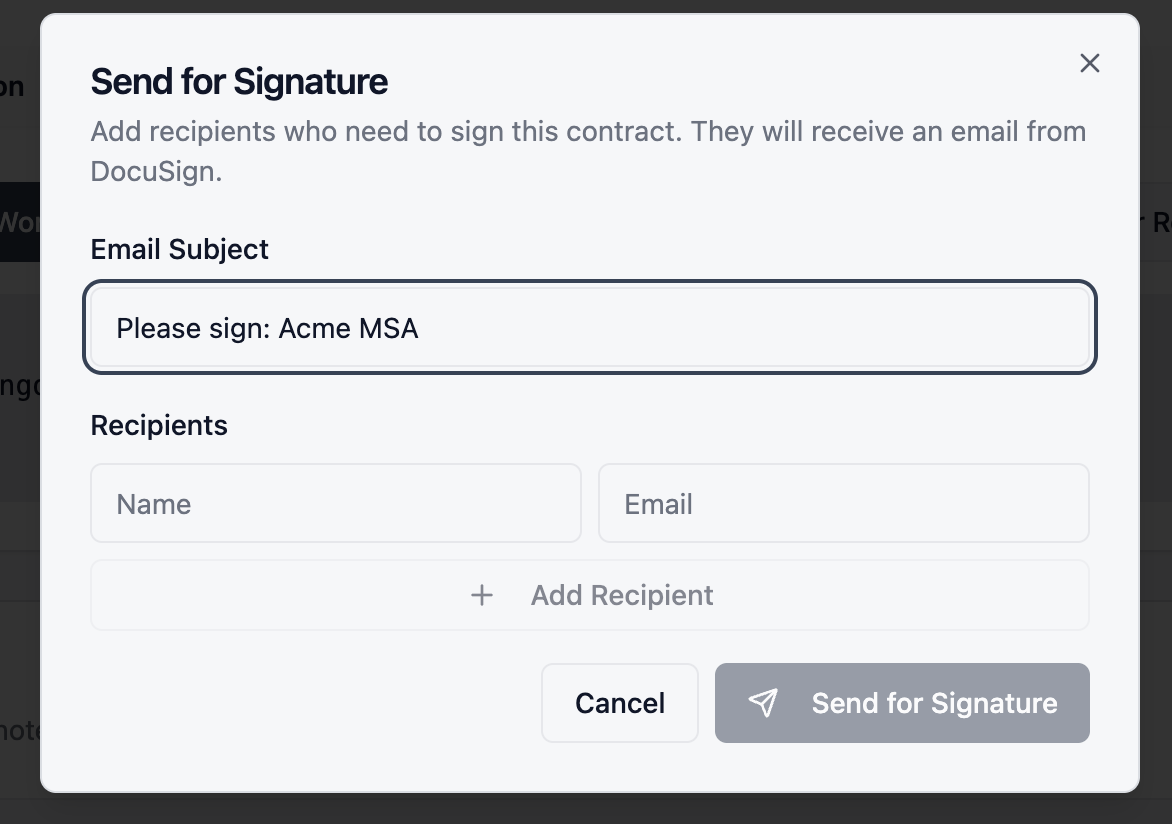
- Click the Send for Signature button in the top action bar.
- Verify the signers. Kollengo automatically pulls signer information if available, but you can add or modify recipients as needed.
- Add a custom email subject and message if desired.
- Click Send.
[!NOTE] Contracts must be in the Finalized state before they can be sent for signature. If you need to make further edits, you must first revert the contract to Under Review.
Tracking Status
After sending, you can track the status of each envelope directly within Kollengo.
- Real-time Updates: The status of each recipient (e.g., Sent, Delivered, Signed) updates automatically in the Signature Recipients panel.
- Contract Status: The overall contract status will change to Pending Signature and then finally to Signed once all parties have completed the envelope.
- Signed Copy: Once completed, the fully executed PDF is automatically saved to the contract record and can be downloaded at any time.