
Configuring Contracts
In traditional legal workflows, manual document editing often introduces risks: a deleted comma or an outdated paragraph can have significant consequences. While Word templates can handle basic automation, they create a significant maintenance burden as product offerings grow. A single clause update often requires manually synchronizing changes across dozens of separate template files.
Kollengo moves from document-based drafting to logic-based assembly. By decoupling your legal logic from the document itself, you can manage hundreds of product variations and custom deal terms without the overhead of maintaining a massive library of standalone files.
The Hierarchy of a Contract
Kollengo uses a three-tier hierarchy to organize your legal logic: Products, Features, and Clauses. This structure is designed to handle complexity at scale, allowing you to mix and match verified components rather than manually redlining a monolithic document for every unique deal.
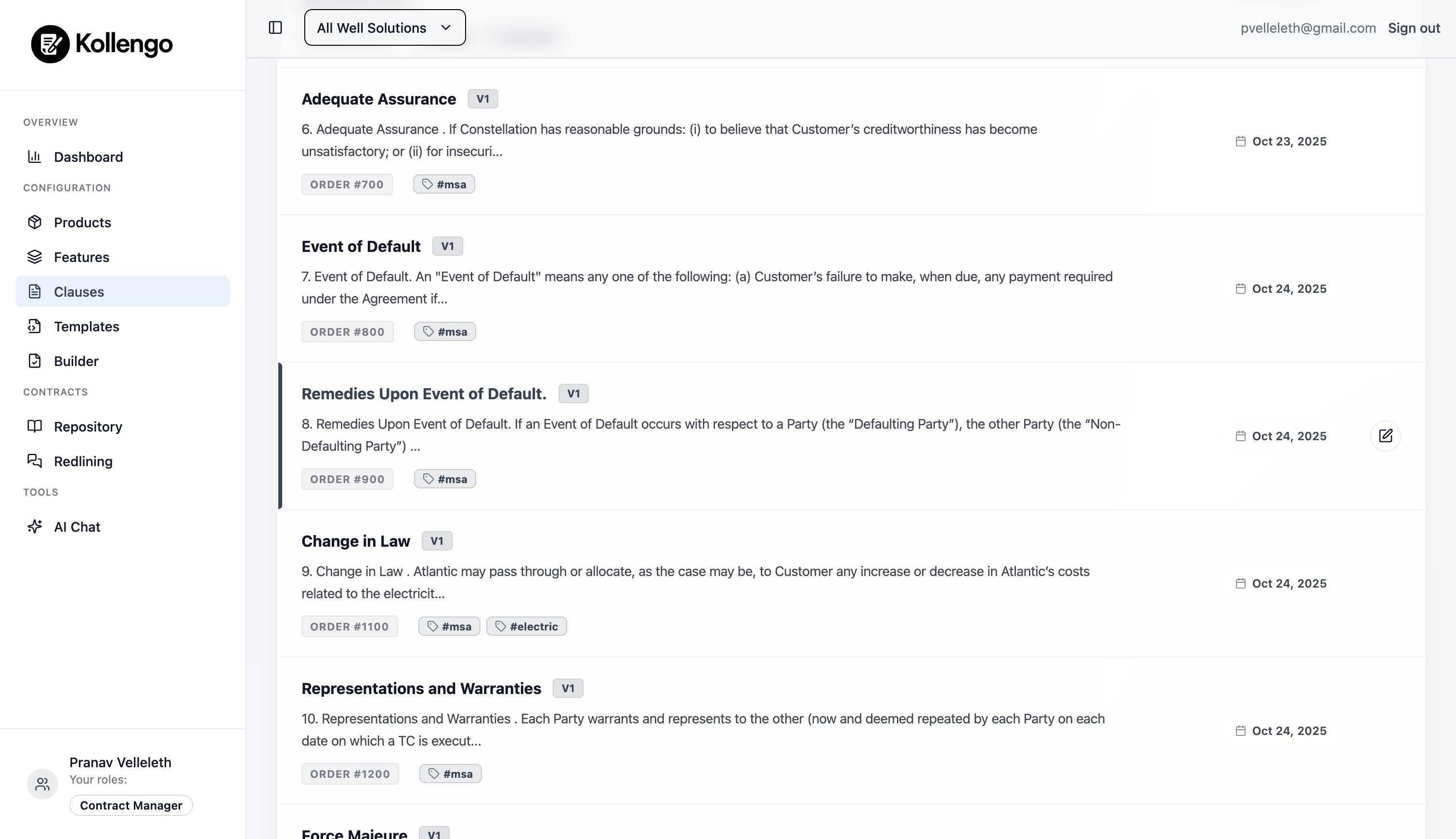
1. Clauses: The Building Blocks
The Clause is the atomic unit of any contract. Instead of a single 20-page document, a Kollengo contract is made of dozens of small, managed clauses.
- Version Control: Every clause is versioned to ensure universal governance. When your legal team updates a standard “Limitation of Liability” clause, it updates everywhere that clause is used. This removes the risk of using outdated templates.
- Scheduled Updates: Important changes can be scheduled for a future effective date. This allows teams to prepare policy updates in advance, with the system automatically switching to the new version only when that date arrives.
- Dynamic Variables: Use
{{ }}syntax (e.g.,{{ client_name }}) to insert dynamic values. This removes the need for manual text find-and-replace, as Kollengo’s engine injects real data at generation time. - Live Previews: The built-in editor displays exactly how a clause will look when rendered. This visual precision ensures formatting remains consistent and professional across every generated document.
- Precise Ordering: Set an Order Number for each clause to control exactly where it appears in the sequence. Pro Tip: Use large intervals (e.g., 100, 200, 300) so you can insert new clauses later without reordering the entire document.
2. Features: Modular Add-ons
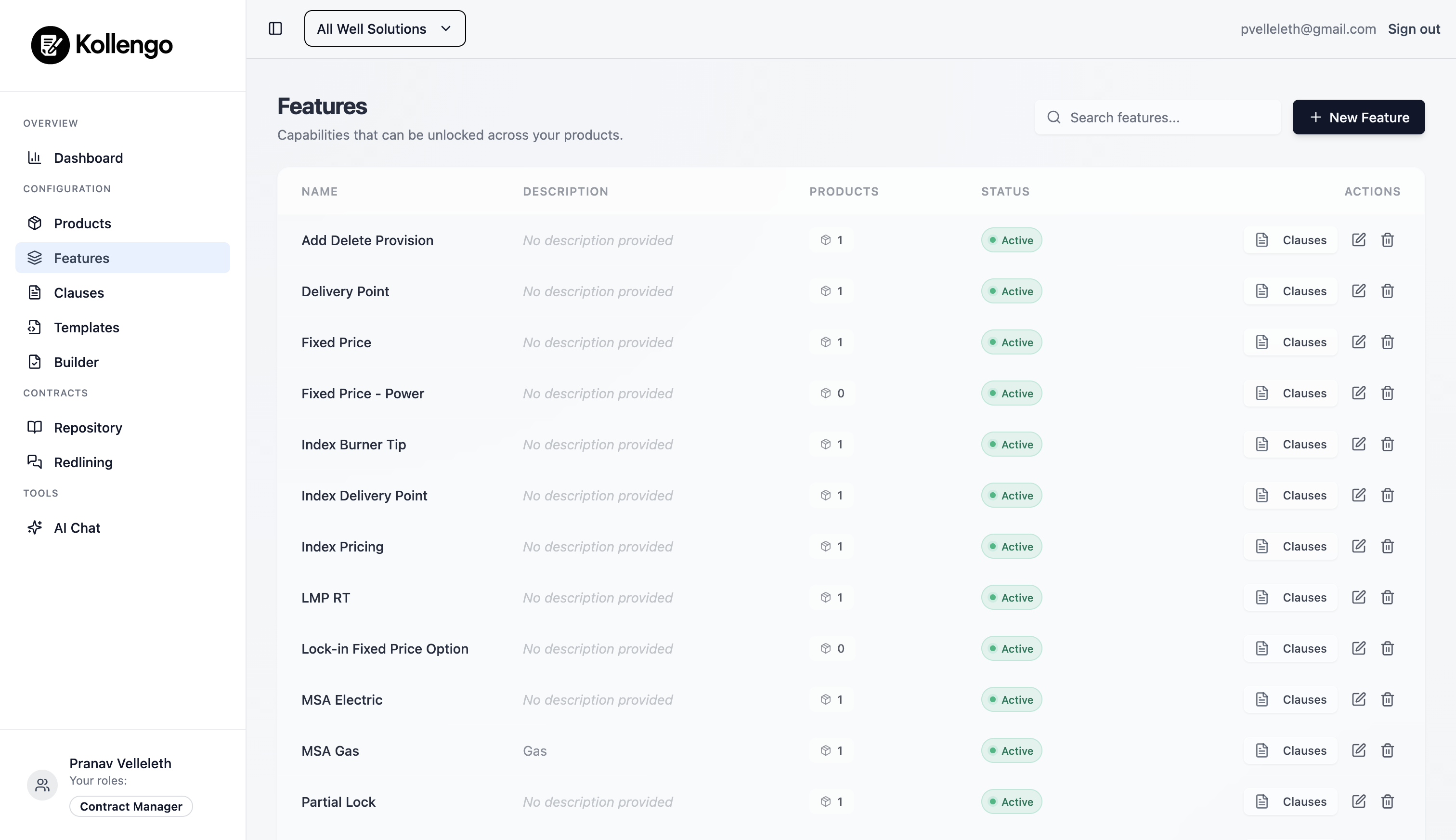
Features are logical groupings of clauses that represent options or upgrades in your deals.
For example, an “Advanced Analytics” feature might include specific data usage clauses, service level agreements (SLAs), and pricing terms. By grouping them into a feature, you ensure that if a deal includes analytics, the correct legal language is included automatically, eliminating the risk of missing critical dependent terms.
3. Products: Your Agreement Type
A Product is the starting point for any contract. It defines the core set of clauses that are always present (e.g., your standard Master Service Agreement).
When you configure a product, you associate it with a core set of clauses and define which Features are available for it.
The Configuration Process
Generating a contract takes seconds because the logic is already built-in. This can also be done programmatically using the Kollengo API.
- Select a Product and Sale Date: Choose the base contract type (e.g., “Enterprise SaaS”) and select its effective date. This is critical because Kollengo uses the Sale Date to automatically pull the specific versions of your clauses that are active at that time.
- Toggle Features: Add or remove modular features based on the specific deal.
- Fill variables: Enter deal-specific data (Client name, Price, etc.). Kollengo’s engine injects this data directly into the pre-approved clauses using the powerful LiquidJS engine.
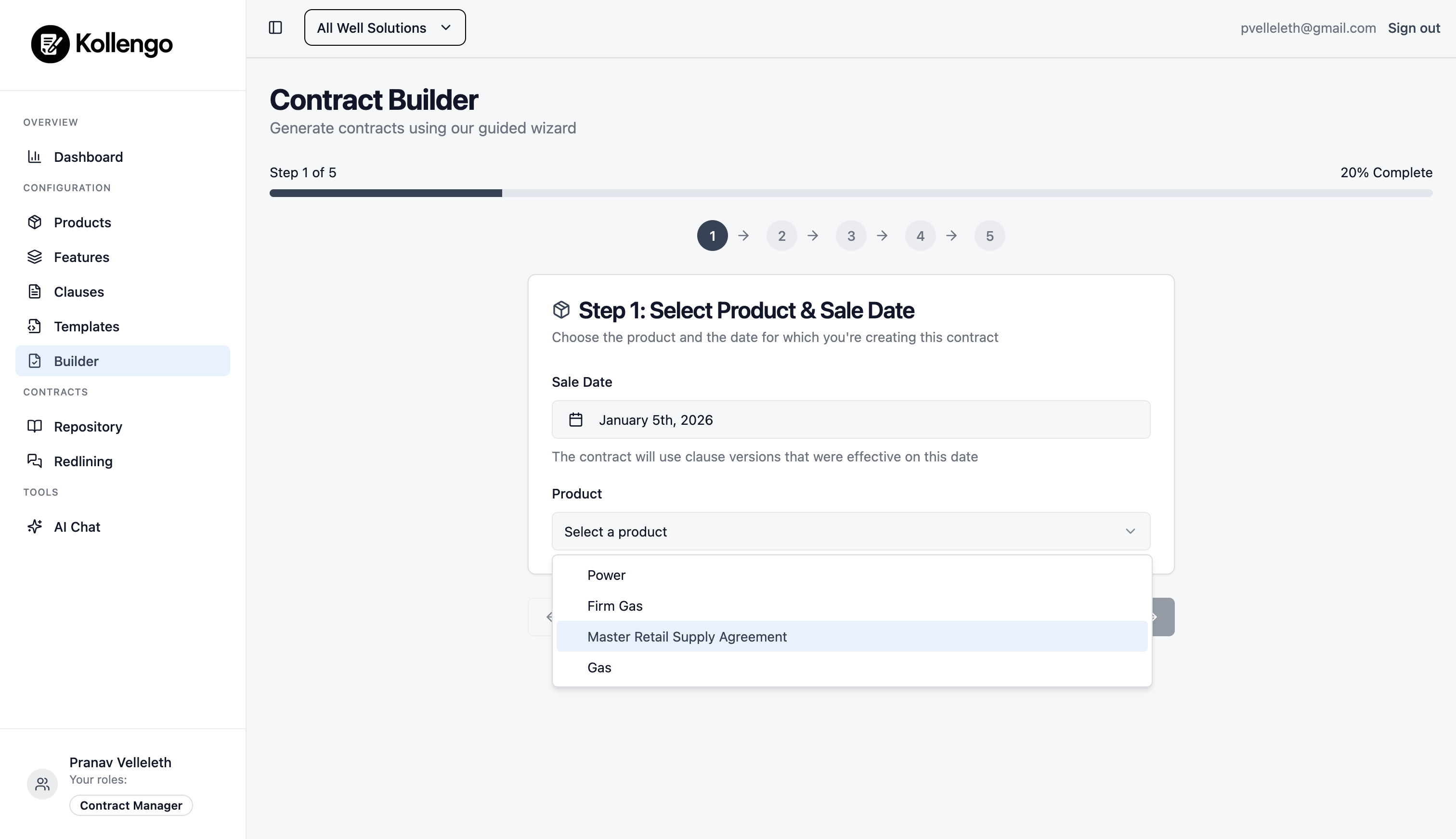
Step 1: Select Product and Sale Date
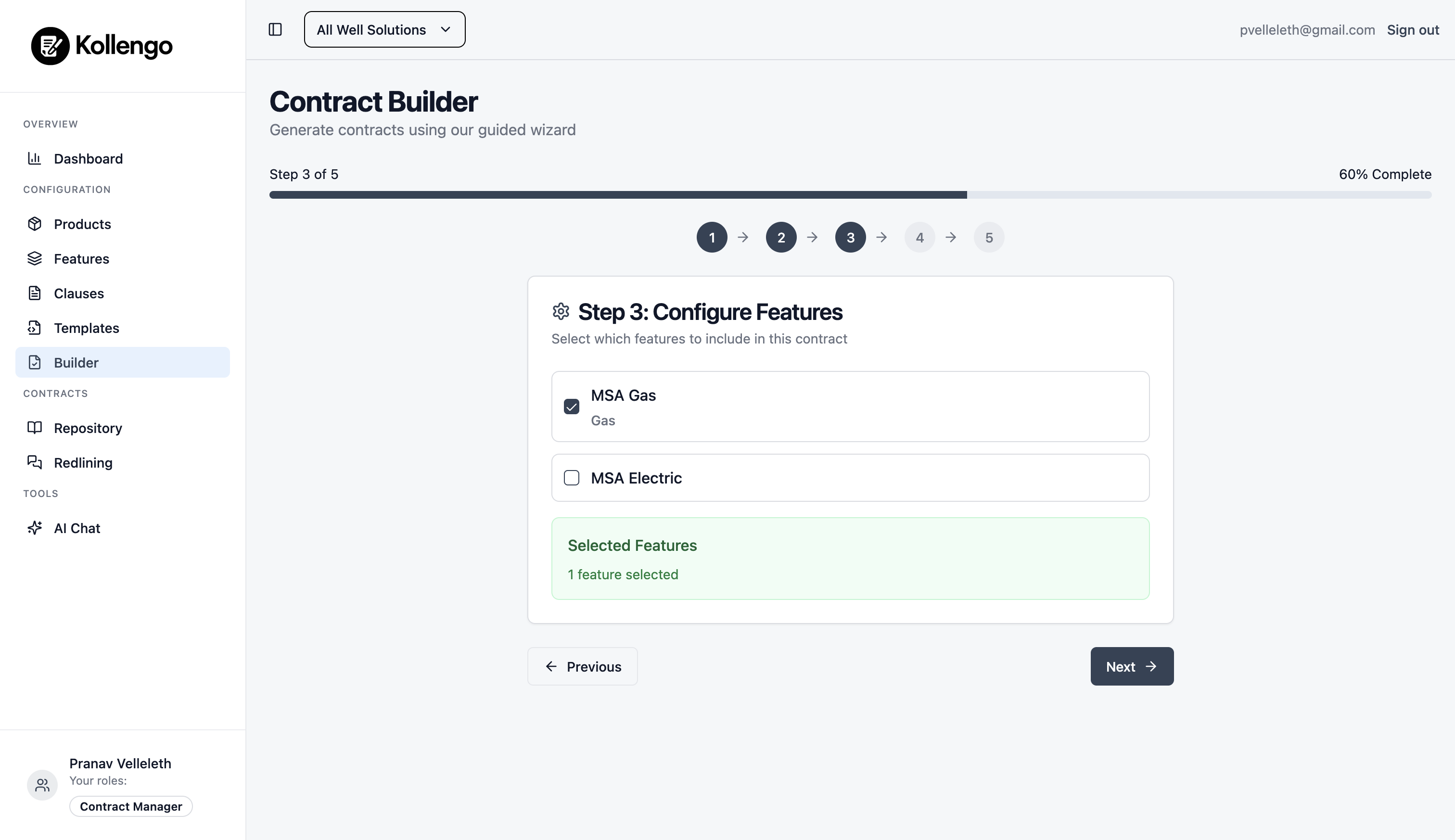
Step 2: Toggle Features
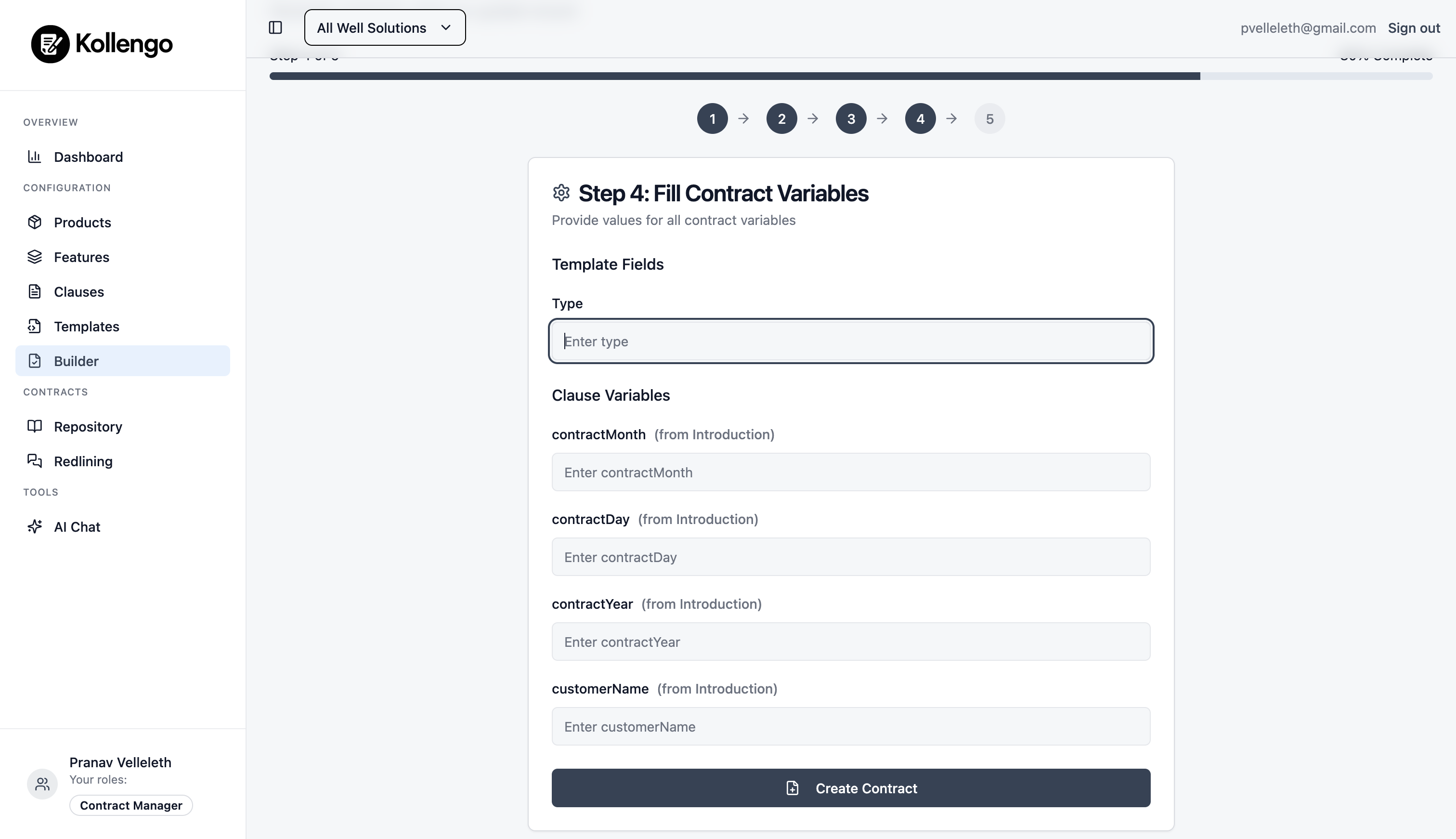
Step 3: Fill Variables
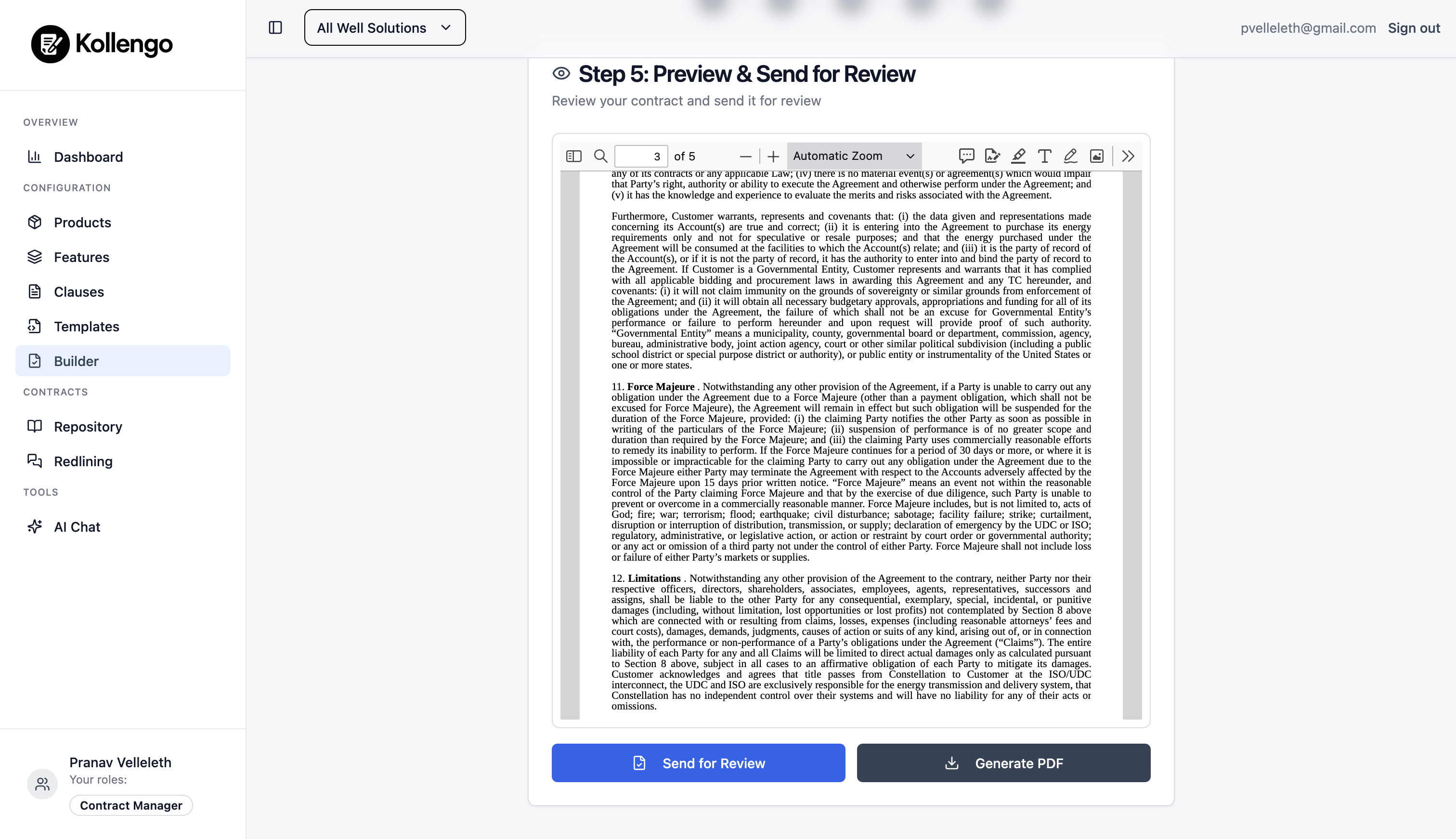
Step 4: Review and Generate